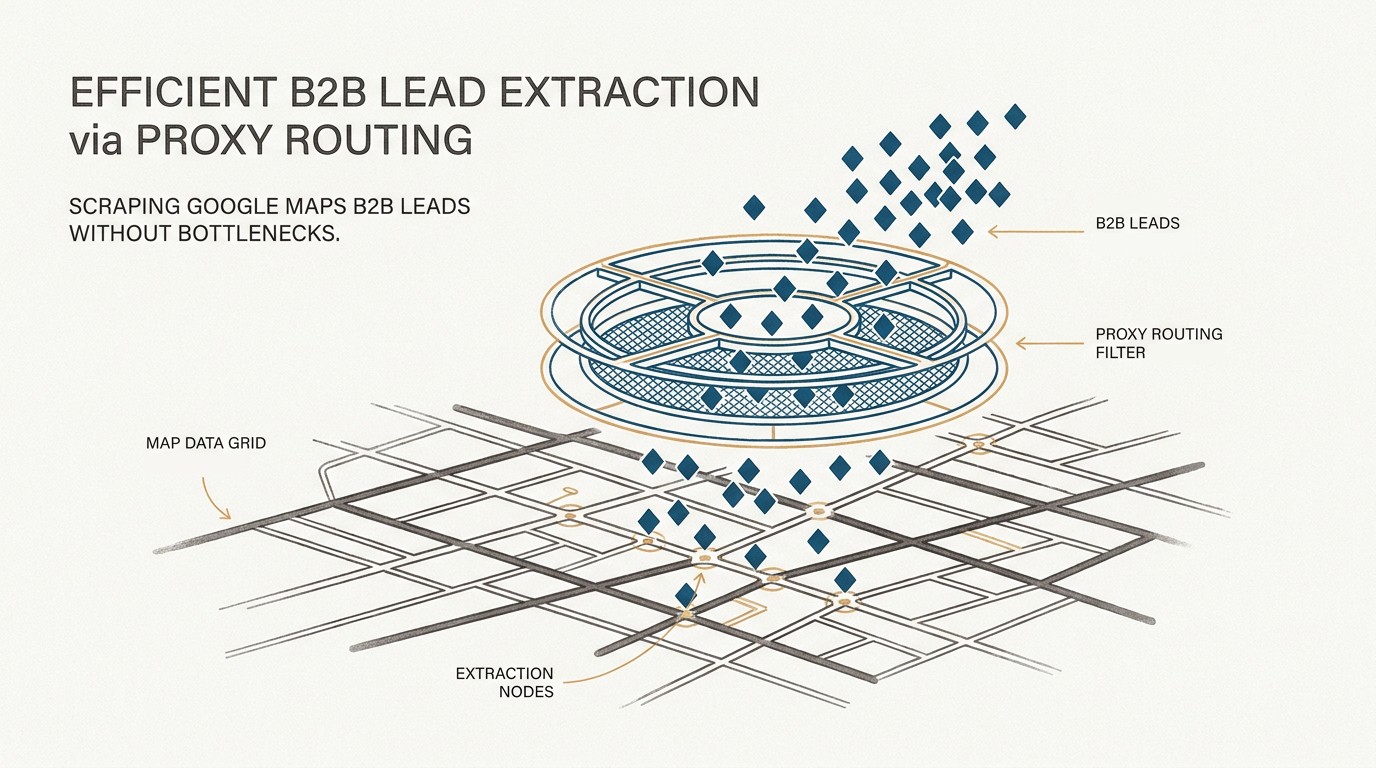
To scrape Google Maps results for Mexico City (CDMX) accurately, set the search area in the request itself (map coordinates or place names) and send it from a Mexican IP rather than a datacenter IP. The coordinates decide which businesses come back; the IP mostly shapes your default language and location and how quickly Google shows CAPTCHAs. A dedicated 4G/LTE mobile proxy on a Telcel or AT&T México SIM gives you a carrier IP shared with real phone users, which tends to be challenged less than datacenter IPs. No proxy guarantees zero CAPTCHAs, and scraping Google Maps goes against Google’s terms.
💡 Key Takeaway
Set the CDMX search area in the URL (coordinates or place names) and send requests from a Mexican mobile IP rather than a datacenter IP. The URL decides which businesses you get; the IP shapes your defaults and how often Google challenges you.
Google Maps Platform says it has location data for over 200 million places worldwide, and Greater Mexico City, home to more than 21 million people, is one of the largest metro areas in the Americas. Extracting accurate local business data from Google Maps in a dense metropolitan area like Mexico City presents a significant challenge for data engineers. Generic scraping advice often glosses over how Google localizes results. On Google Maps, the area you search is set mainly by the map position in the URL and by any place name in the query; when a request doesn’t say where the searcher is, Google uses what it knows about their location, which for a scraper mostly means its IP address. Run a scraper from a US server without explicit coordinates and you get US defaults (language, starting location) rather than what a user in CDMX would see. This guide explores the methodology needed to extract this data. We will outline how to handle CDMX location targeting, build a Python scraper, and scale it with a task queue. Additionally, we will explore the limitations of automated extraction compared to physical data collection, and the legal limits. Whether you are building a google maps scraper python script or weighing scraping against the official Places API, understanding how to scrape data from Google Maps locally is essential for accurate B2B lead generation.
Author: The ProxyServer.tech Engineering Team
Bio: The team behind ProxyServer.tech, which runs dedicated 4G/LTE mobile proxies on real SIM cards in Mexico (Telcel and AT&T México) and Spain.
Transparency Disclosure:
This guide is developed by the infrastructure team at ProxyServer.tech. ProxyServer.tech sells the kind of mobile proxies discussed here, so weigh our recommendations with that in mind. The code samples are minimal starting points, not production-ready scrapers, and Google changes the Maps interface without notice.
✅ Check Your Exit IP First
Before a scraping run, send one request through the proxy to an echo service such as api.ipify.org (IP) or httpbin.org/headers (headers). It shows what any website receives from you, so you can confirm traffic leaves through the Mexican carrier IP and not your server. It does not show how Google will treat that IP; only a small test batch against Google Maps tells you that.
Location Targeting in CDMX: What the URL and the IP Each Control
A common piece of advice is to simply “use Mexican IPs” for local scraping. That is only half the picture. You can’t pick an alcaldía or a neighborhood through the IP: IP geolocation is approximate, especially for mobile carrier IPs that thousands of phones share. What pins results to a neighborhood is the request itself: the @latitude,longitude,zoom part of a Google Maps URL, or a place name such as “dentista en Coyoacán” in the query. The IP has a different job: give Google a Mexican default context (language, country) and look like ordinary traffic, so you are not pushed into CAPTCHAs after a handful of searches.
Datacenter IPs belong to hosting providers whose address ranges are publicly known, so Google tends to challenge them sooner than consumer connections. Our mobile proxy setup guide covers the credentials, rotation URL and code samples you need to rotate between search batches and keep one IP while you open individual place pages. A mobile proxy works differently from a datacenter one: your requests leave through a real SIM card on a carrier network, and carriers put many phone users behind each public IP (carrier-grade NAT). Blocking such an IP outright would also hit real customers, so it tends to be challenged less, though not never. The flip side, as Google’s help page on unusual traffic notes, is that automated traffic from others on the same network or provider can trigger the check for you too.
US Datacenter IP vs. Mexican Mobile IP
| Option | Pros | Cons | Fit for Maps |
|---|---|---|---|
| US Datacenter IP | Cheap, fast, easy to scale | IP ranges publicly tied to hosting providers; US defaults unless you set language and coordinates; CAPTCHAs come sooner |
Poor
|
| Mexican Mobile IP (Telcel / AT&T México) | Carrier IP shared with real phone users, Mexican defaults, you decide when it rotates | Higher cost per IP, daily data allowance, a few seconds per rotation, still not CAPTCHA-proof |
Good
|
| IP Type | Default Context Without Explicit Settings | Challenge Rate |
|---|---|---|
| US Datacenter IP | English/US defaults and a US starting location unless you set hl and coordinates | Higher (CAPTCHAs, “unusual traffic” pages) |
| Mexican Mobile IP | Spanish (Mexico) defaults; results for the area set in the URL | Lower, but not zero |
Rotation works differently on a dedicated mobile proxy than on a rotating residential pool. Instead of a new IP on every request, you keep the same carrier IP until you call the modem’s rotation URL (or set an automatic interval); the modem reconnects and comes back with a new IP within seconds. A practical pattern for Maps is to keep one IP for a search and the place pages it returns, then rotate between batches or as soon as a CAPTCHA appears. Some platforms promise verified leads with no ban risk; no setup can guarantee that. Our guide to why Google keeps asking if you’re a robot explains what usually triggers those checks.
To target a specific alcaldía, put it in the request rather than in the proxy settings: center the URL on that borough’s coordinates with a zoom level that covers only that area, or name the area in the query. Open-source tools such as gosom/google-maps-scraper (MIT-licensed, written in Go) expose the same idea as options: -geo for coordinates, -grid-bbox to split an area into cells, -lang for the interface language and -proxies for your proxy.
Building a Python Google Maps Scraper for Mexico City
A practical Python stack for Google Maps is Playwright for rendering, plus Requests for lighter jobs such as testing your proxy or fetching business websites. Google Maps is a JavaScript application: a plain HTTP request to a Maps search URL returns the app shell, not a list of businesses, so you need a real browser engine to get results, ratings, phone numbers and reviews.
Python Scraper Tech Stack Components
Python + Requests
Proxy checks, API calls and fetching business websites; on its own it can’t render the Maps interface
Playwright
Handles dynamic content loading and complex JavaScript-rendered map elements
IP Rotation
Mexican mobile proxy with a rotation URL; change the IP between batches or after a CAPTCHA
Stable IP
A dedicated modem keeps its IP until you rotate it, so a search and its place pages share one IP
To use a ProxyServer.tech mobile proxy from Python, pass the host, port, username and password shown in your dashboard at app.proxyserver.tech to your HTTP client or browser. If you prefer not to build from scratch, open-source tools like the one above, or hosted scraping services, can collect the same public listings. For a custom lead-generation pipeline, a self-hosted script gives you more control over data formatting and deduplication.
Here is a structural logic overview for routing requests:
🌐 Configure Your Mexican Proxy
Add the host, port, username and password of your mobile proxy (from your dashboard) to the browser launch options
🔍 Send Localized Search Query
Build a Maps search URL with the query, the alcaldía’s coordinates and hl=es, and load it in Playwright through the proxy
📌 Keep One IP Per Batch
Don’t rotate while you open the place pages from a search; rotate between batches or after a CAPTCHA
🇲🇽 Parse Spanish-Language Fields
Extract localized fields like ‘teléfono’, ‘horario’, and ‘sitio web’
✨ Deduplicate & Format
Apply deduplication logic and format data for B2B lead pipeline
from urllib.parse import quote_plus
from playwright.sync_api import sync_playwright

# Dedicated mobile proxy: copy host, port, user and password from app.proxyserver.tech
PROXY = {
    "server": "http://proxy.proxyserver.tech:PORT",
    "username": "USER",
    "password": "PASS",
}

def fetch_maps_results(query, lat=19.4326, lng=-99.1332, zoom=15):
    # The coordinates set the search area (19.4326, -99.1332 = Zócalo, Cuauhtémoc)
    url = (f"https://www.google.com/maps/search/{quote_plus(query)}"
           f"/@{lat},{lng},{zoom}z?hl=es")
    with sync_playwright() as p:
        browser = p.chromium.launch(proxy=PROXY)
        context = browser.new_context(locale="es-MX",
                                      timezone_id="America/Mexico_City")
        page = context.new_page()
        page.goto(url, timeout=60_000)
        # Results list container; Google changes this markup without notice
        page.wait_for_selector('div[role="feed"]', timeout=30_000)
        html = page.content()
        browser.close()
    return parse_place_details(html)  # your own parser
This keeps the location in the URL and the Mexican context in the proxy, locale and time zone. Because a dedicated modem keeps its IP until you rotate it, a search and the place pages you open from it share one IP and one browser session. Two practical notes: a proxy hides your server’s IP, not your browser fingerprint or behaviour, so pace your requests; and Google Maps pages are heavy, so blocking images and map tiles (for example with Playwright’s page.route) helps you stay within a plan’s daily data allowance.
A common mistake when scraping CDMX business data is neglecting to parse Spanish-language fields. Google Maps shows labels and categories in the interface language, which comes from the hl parameter, the browser locale and, when those are missing, signals such as your IP. Business names and review text appear as the business or reviewer wrote them, sometimes with a machine translation. If your parser only looks for English labels, it will miss fields when the page is in Spanish. Pin the language (hl=es, locale es-MX) and account for labels like “Teléfono” (phone), “Horario” (hours) and “Sitio web” (website).
⚠️ Common Mistake: Spanish-Language Parsing
Labels and categories follow the interface language (hl parameter, browser locale, then signals like the IP); business names and reviews appear as written. Pin hl=es and locale es-MX, and parse Spanish labels like ‘Teléfono’ (phone), ‘Horario’ (hours) and ‘Sitio web’ (website).
Scaling Extraction Across Mexico City
Covering a metro area of more than 21 million people takes more than one script: you need a queue, retries and a way to split the city into areas. The usual advice, keeping request rates modest and adding randomized delays, is right but incomplete. Google publishes no safe request rate for Google Maps and its thresholds change, so treat any “X requests per hour without CAPTCHAs” figure with suspicion. Start small, measure how often you hit CAPTCHAs per IP, and raise volume only while that rate stays low.
To scale a google maps scraper, set explicit concurrency limits per IP and adjust them from your own measurements; with a real browser, a few parallel pages per IP is a sensible starting point. A distributed task queue such as Celery with a Redis broker lets you spread jobs across several mobile proxy ports, retry failures and keep going when one worker or modem goes down.
Using hosted scrapers can also help reduce the infrastructure burden by covering proxy management, monitoring, and scheduling. When evaluating how to scrape data from Google Maps at scale, practitioners must balance the benefits and challenges of scraping Google Maps data. A queue also gives you a clean way to handle blocks: when a task fails or hits a CAPTCHA, re-queue it and rotate that modem’s IP before it takes new work.
Assigning geographic bounding boxes to separate workers also reduces overlapping requests. CDMX’s 16 alcaldías (called delegaciones until 2018) are a natural first split, but they vary widely in size and density, so dense boroughs such as Cuauhtémoc or Benito Juárez usually need a finer grid of smaller cells. A single Maps search only lists a limited number of places, so smaller cells mean better coverage; expect some overlap at cell edges and deduplicate by place ID or address. Combined with conservative concurrency, this partitioning gives you a steady pipeline for Mexico City Google Maps scraping with mobile proxies.
Enterprise Queue Management Components
Celery Task Queue
Distributes scraping tasks across your mobile proxy ports
Redis Broker
Holds the shared task queue that all worker nodes pull from
Spatial Partitioning
CDMX’s 16 alcaldías as a first split, with finer grids in dense areas
Auto Re-queue
Failed or CAPTCHA-blocked tasks go back in the queue after the modem’s IP is rotated
Concurrency Control
Start with a few parallel pages per IP; raise only while CAPTCHA rates stay low
Hosted Scrapers
Alternative option covering proxy management, monitoring, and scheduling
Web Scraping vs. Human Data Collection for AI Training
Standard AI tools often recommend pure automated web scraping for all data collection needs. However, some data, especially ground-truth data about the physical world used for AI training, can only be collected on the ground. Hyper-local CDMX business nuances—such as temporary street closures, informal market stalls, or unregistered neighborhood vendors—cannot always be captured digitally.
Ground-truth data about the physical world is hard to collect at scale, and you can’t simply scrape it from the web. Scraped listings make a good digital baseline, but they can be outdated or incomplete: closed businesses, wrong phone numbers, places that were never listed online. For B2B lead generation, data engineers must recognize when to rely on a google maps scraping setup and when manual verification, such as a phone call or a field visit, is required to keep the data reliable in complex urban environments.
Frequently Asked Questions
How do I scrape Google Maps data without getting blocked?
No method guarantees you won’t be blocked, and scraping Google Maps goes against Google’s terms. What lowers the CAPTCHA rate in practice: a Mexican mobile IP instead of a datacenter IP, a real browser such as Playwright, modest concurrency with randomized pauses, and rotating the IP between batches or after a CAPTCHA instead of pushing one IP harder.
Do I need residential or datacenter proxies for Google Maps?
For anything beyond small tests, a mobile (or residential) IP is the practical choice. Datacenter IP ranges are publicly tied to hosting companies, so Google challenges them sooner. A dedicated 4G/LTE mobile proxy sends your traffic through a real SIM on a carrier network such as Telcel or AT&T México, where many phone users share each IP. That lowers the CAPTCHA rate, but it doesn’t make you invisible or CAPTCHA-proof.
How can I scrape Mexico City local business results accurately?
Set the location in the request and use a Mexican IP for the rest. Center the Maps URL on the coordinates of the alcaldía or neighborhood you want (or name it in the query), pin the language with hl=es, and send requests through a Mexican IP. You can’t target an alcaldía through the IP itself; IP geolocation isn’t that precise.
How do I maintain sticky sessions for place detail extraction?
With a dedicated mobile proxy, you simply don’t rotate. The modem keeps the same IP until you call its rotation URL or a scheduled rotation kicks in, so keep one IP (and one browser context) for a search and the place pages you open from it, and rotate between batches.
Limitations, Alternatives & Professional Guidance
Be clear about the rules before you start. Scraping Google Maps goes against Google’s terms no matter how carefully it is done: the Google Maps additional terms prohibit copying the content, mass downloading or creating bulk feeds of it, and using Google Maps to build business-listing databases, mailing lists or telemarketing lists for a service that substitutes for Google Maps. The most direct consequences are blocks and lost access; any legal exposure depends on your jurisdiction and on what you do with the data. The official route is the Google Places API, but it is not a shortcut to a lead database either: phone numbers, websites, ratings and opening hours fall under the Place Details Enterprise SKU, listed at $20 per 1,000 requests with the first 1,000 each month free, so 100,000 detailed lookups cost roughly $2,000 at list price, and the Maps service terms only let you cache Places latitude and longitude, for up to 30 days. For Mexico there is also a free, official source: INEGI’s DENUE directory, which covers more than 6 million establishments and, where available, includes phone, email and website, with a free API and bulk downloads. If any record identifies a person (an owner’s name, a personal mobile number, a reviewer), Mexico’s data-protection law applies: the Ley Federal de Protección de Datos Personales en Posesión de los Particulares was replaced by a new law published on March 20, 2025, and oversight passed from INAI to the Secretaría Anticorrupción y Buen Gobierno. Always consult legal counsel before deploying large-scale scraping operations.
⚠️ Legal & Compliance Warning
Scraping Google Maps goes against Google’s terms, which bar copying the content and mass downloading it. The official Places API costs $20 per 1,000 detail requests that include phone and website, and limits what you may store. If your leads include data about individuals, Mexico’s 2025 data-protection law applies. Consult legal counsel before deploying large-scale scraping operations.
Google Places API vs. Proxy-Based Scraping vs. INEGI DENUE
| Option | Pros | Cons | Main Limit |
|---|---|---|---|
| Google Places API | Official, within Google’s terms, stable data format | $20 per 1,000 Place Details with phone and website (100K lookups ≈ $2,000 at list price); only latitude/longitude may be cached, for 30 days |
Cost and storage rules
|
| Proxy-Based Scraping | Can cost less per record at volume; full control over fields and formatting | Against Google’s terms; you maintain the scraper, proxies and CAPTCHA handling; markup changes break parsers |
Terms risk and upkeep
|
| INEGI DENUE | Free and official; API and bulk download; phone, email and website where available | No ratings or reviews; built from census data, so recent openings and closures can lag |
Freshness
|
📊 Cost Comparison: API vs. Proxies
Place Details requests that return phone numbers and websites (Enterprise SKU) list at $20 per 1,000, with the first 1,000 each month free: about $2,000 for 100,000 lookups, before any search requests. Scraping can cost less per record, but add proxy plans, servers, engineering time and the terms risk before you compare.
Conclusion
Accurate Google Maps extraction in Mexico City comes down to two things: setting the search area explicitly in every request, and sending those requests from an IP that Google treats like ordinary local traffic. Without explicit coordinates you risk US-default results; from datacenter IPs you will hit CAPTCHAs sooner. Before you scrape, check whether the Places API or INEGI’s DENUE already covers what you need, and keep Google’s terms and Mexico’s data-protection law in view. By implementing the Python scraping methodologies, Spanish-language parsing considerations, and concurrency controls discussed in this guide, you can build a resilient data pipeline capable of handling the complexities of the CDMX market.
If you need Mexican IPs for this kind of work, ProxyServer.tech runs dedicated 4G/LTE mobile proxies on real Telcel and AT&T México SIM cards: one modem per customer, HTTP/HTTPS and SOCKS5, and IP rotation on demand or on a schedule, on monthly plans managed from the dashboard at app.proxyserver.tech. They lower the CAPTCHA rate compared with datacenter IPs; they don’t make scraping risk-free or guarantee zero blocks. To get started, message our Telegram bot at t.me/proxyservertechbot.
References
[1] gosom/google-maps-scraper: open-source Google Maps scraper (GitHub, MIT license)
[2] Google Maps/Google Earth Additional Terms of Service
[3] Google Maps Platform: core services pricing list
[4] Google Maps Platform Service Specific Terms (Places API caching)
[5] Google Maps Platform: Places (over 200 million places)
[6] Google Business Profile Help: how local results are ranked
[7] Google Search Help: “Unusual traffic from your computer network”
[8] INEGI: Directorio Estadístico Nacional de Unidades Económicas (DENUE)